

LegalTech Website Design & Webflow Development

Show legal buyers what a lawyer does with your software, what the product returns and what they can inspect before using the output. NexaFlow develops the website copy, product demonstrations and Webflow marketing site around that explanation, with supporting information for legal operations and IT.
Website strategy, copy, design and Webflow development.
Baraka Property Partners logo with an orange geometric star design to the left of the text.Tabana Grill & Nightlife logo text in gold font.MBNM company logo with stylized roof lines above the letters.Beatz Hire logo with stylized B and H inside a square frameMydoorfitters company logo in teal color.

Legal software needs a task the buyer can recognize

A broad promise about AI does little to explain how the product fits into research, drafting, contracts or matter management. Lawyers need to see the task and review process, while legal operations and IT need information about adoption and system fit. We turn a product walkthrough into a connected explanation, giving each evaluator a useful route through the website.
Discuss your website
A clear proposal after we review your requirements.

Show the request, the result and the review

We can structure a product page around a lawyer’s starting request, a useful part of the result and the action they take next. Screens, captions and surrounding copy make each step understandable, including sources or review tools where your product provides them. Module and use-case pages then explain the distinct work supported, with relevant deployment and demo information connected to the same story.

Webflow design and development

We design the website in Figma and build the approved pages in Webflow, with responsive layouts and the content structures your team needs.
Colorful right-pointing arrow next to a white document icon with placeholder text and image on a light blue background.

A clear route to an enquiry

We define the audience and purpose of each page, then connect the relevant information to a demo, consultation or project enquiry.
Blue square with a stylized 'W', a yellow lightning bolt, and a white document icon on a light blue background.

An editable website system

Reusable sections and structured CMS content give your team a practical way to maintain the site after launch.
Blue magic wand icon with sparkles next to a white stylized document on a light blue background.

Copy that explains the offer

We write from your product, services and approved evidence. Each page explains what buyers can purchase and the questions they need answered.
Two location markers connected by a curved path on a light blue background.

Direct project communication

You work with the people designing and building the site. We define review points, responsibilities and the decisions needed to keep work moving.
Black key icon next to a white square document icon with lines and a placeholder image on a light blue background.

A clear handover

A one-off website project does not require a retainer. We hand over the Webflow project and editing guidance, with ongoing support available separately.
Make demonstrations readable enough to evaluate
A full desktop screenshot can hide the detail that makes a legal product convincing. We select focused views that show the relevant request, document passage or source reference, then design their desktop and mobile treatment together. Where a sequence needs motion, we can scope a short storyboard or demonstration separately, with the page explanation matching what the asset actually shows.
What goes into your Webflow build

Webflow design and development

We build and check the approved layouts across desktop, tablet and mobile, including navigation, content and enquiry forms.

CMS built around your content

We define collections, fields and relationships for the content your team needs to maintain, such as services, people, products and approved work.

Search foundations

The build includes page headings, metadata, image descriptions and internal links. Replacing an existing site also requires an explicit URL and redirect review.

Reusable page sections

We build reusable sections for the page types in your project, so future updates can follow the same design system.

Copy and design together

We develop the content hierarchy alongside the design. Product explanations, service details and evidence each have a defined role on the page.

A Webflow website your team can run

Design approval before development
arrow down
You review the page designs and content in Figma before the Webflow build. The approved design gives both teams a clear reference for development and review.
Content your team can maintain
arrow down
We structure recurring content in the CMS and show your team how to edit it. Changes to the design system or new functionality can be handled as separate website work.
Integrations with clear responsibilities
arrow down
We review the forms, CRM, booking and other connections your website needs before quoting. The proposal identifies what Webflow handles and which functions remain in your existing systems.
Migration and launch planning
arrow down
We review existing URLs, useful content and launch dependencies before replacing a site. Forms, redirects and the handover are included in the project plan where required.
Webflow blue stylized W logo above the word 'Webflow' in black text on white background.
Webflow
From $7,500
Dashboard with alt text assets, page analytics, critical issues, and Webflow prompt topics displayed.

Website content for legal software evaluation

01
A legal workflow walkthrough
Follow an actual task through the product, from the starting information to a reviewable result. We choose the sequence with your product team and explain the role of each screen in the lawyer’s work.
Discuss your project
02
Distinct product modules
Give research, drafting, contract or matter-management capabilities their own explanation where those products exist. Each page identifies the task, supported interaction and relevant next step, rather than repeating an AI message across the range.
Discuss your project
03
Firm and in-house use cases
Explain the buying situations that change between a law firm, legal department or operations team. Relevant use cases connect to the modules and evaluation material they need, with a shared product story across the site.
Discuss your project
Photo of a crowded outdoor concert with colorful stage lighting and audience in front of large speakers.
04
Sources and review details
Make approved source references, inspection tools and human review actions visible beside the capability they support. Captions identify what the demonstration shows, helping buyers assess the workflow without relying on a broad accuracy claim.
Discuss your project
Abstract black and white noise texture with scattered dots and irregular patterns.
05
IT and procurement information
Organize the public deployment, security and data-handling material your team provides. More detailed documents can follow the existing request process, with links and page labels that help technical evaluators find the appropriate information.
Discuss your project
Illustration of five concentric circles highlighting feature noise layers in data analysis.
06
Demo and product entry points
Explain what the demonstration covers and collect the team or workflow context sales needs. We also map links to existing application or public research destinations, with any connection to your backend assessed in the website scope.
Discuss your project
Abstract black and white noise pattern of scattered small squares and speckles.
Your LegalTech Marketing Website

Build the explanation your buying team needs

We develop the page architecture, copy and visual treatment with your product and marketing leads, then carry the approved design into Webflow. The scope identifies the legal workflows to demonstrate, the module and audience pages, and the resources or forms required. Application functions and public website entry points are defined separately so production has clear responsibilities.

check icon
Figma files for the approved page designs
check icon
Webflow development and launch checks
check icon
Responsive desktop, tablet and mobile layouts
check icon
CMS setup and the content entry in your proposal
check icon
Page titles, descriptions and image alt text
check icon
Google Search Console connection
check icon
Webflow editing walkthrough
check icon
Post-launch support defined in your proposal
01
Discovery call

We review the legal task, user roles and product walkthrough, then identify the questions that arise before a demo. Your team helps select publishable screens and the technical or source information needed to explain the workflow accurately.

02
Figma design

We design the request-to-result sequence and key evaluation pages in Figma. Focused screen crops, captions and mobile layouts keep the useful detail in view, while navigation connects product modules, buyer situations and supporting resources.

03
Webflow build

We build the agreed marketing pages, CMS resources and demo routes in Webflow. Links to the application or existing research tools follow the mapped destinations, with new integrations or interactive functions reviewed before being included in production.

04
QA & testing

We test the page sequence, responsive demonstrations, resource links and inquiry confirmations. Your nominated owners review the product wording and technical statements, including whether the screens and captions reflect the current software rather than a planned capability.

05
Launch & handover

We hand over the agreed website and design files with guidance for product, resource and use-case updates. Your team can see which content is connected and which demonstrations need a fresh review when the underlying workflow changes.
One website project.
Or an ongoing partner.

Choose a one-off website build or a continuing brand and Webflow partnership. We set out the deliverables, priorities and milestones in your proposal.
A clear proposal after we review your requirements.
One-off project
Website Design and Build
From $7,500
One-off project fee
Website strategy, copy, Figma design and Webflow development, with the pages and functionality defined in your proposal. Focused landing pages start at $2,500.
check icon
Figma design for the project pages
check icon
Webflow design implementation
check icon
Responsive page layouts
check icon
CMS structure for your content
check icon
On-page search foundations
check icon
Google Search Console connection
check icon
Editing walkthrough
check icon
Post-launch support defined in your proposal
check icon
Unlimited revisions within the agreed brief
Discuss a website project
Retainer
Ongoing design support
$4,000/mo
Pause or cancel anytime
Keep existing brand assets, presentations, print and digital materials up to date. One active design request at a time. New identities and Webflow work are separate from this plan.
Support for your existing brand:
check icon
1 Active request at a time
check icon
Deck & presentation design
check icon
Existing brand collateral updates
check icon
Print design
check icon
Digital design & email templates
check icon
Unlimited revisions within the agreed brief
check icon
A clear point of contact
check icon
Pause or cancel anytime
Discuss design support
Retainer
Brand and Webflow partner
$8,500/mo
Pause or cancel anytime
Ongoing design support plus brand and Webflow projects. We plan the deliverables, milestones and review schedule together.
Includes Ongoing design support plus:
check icon
Webflow design and development
check icon
Webflow website updates
check icon
Landing page design
check icon
Website animation within the project
check icon
Unlimited revisions within the agreed brief
check icon
Bi-weekly strategy calls
check icon
Dedicated Slack Channel
check icon
Pause or cancel anytime
Discuss brand and Webflow
Retainer
Creative and growth partner
$12,500/mo
Pause or cancel anytime
A continuing creative partner for brand, Webflow and campaign assets, with dedicated SEO work and planned motion deliverables. We prioritise the work and available capacity together.
Includes Brand and Webflow partner plus:
check icon
Planned creative capacity and dedicated SEO work
check icon
Dedicated SEO work
check icon
SEO, AEO and AI visibility priorities
check icon
Planned motion and video deliverables
check icon
Social campaign creative
check icon
Unlimited revisions within the agreed brief
check icon
Weekly strategy calls
check icon
Pause or cancel anytime
Discuss creative and growth

Selected website work across sectors

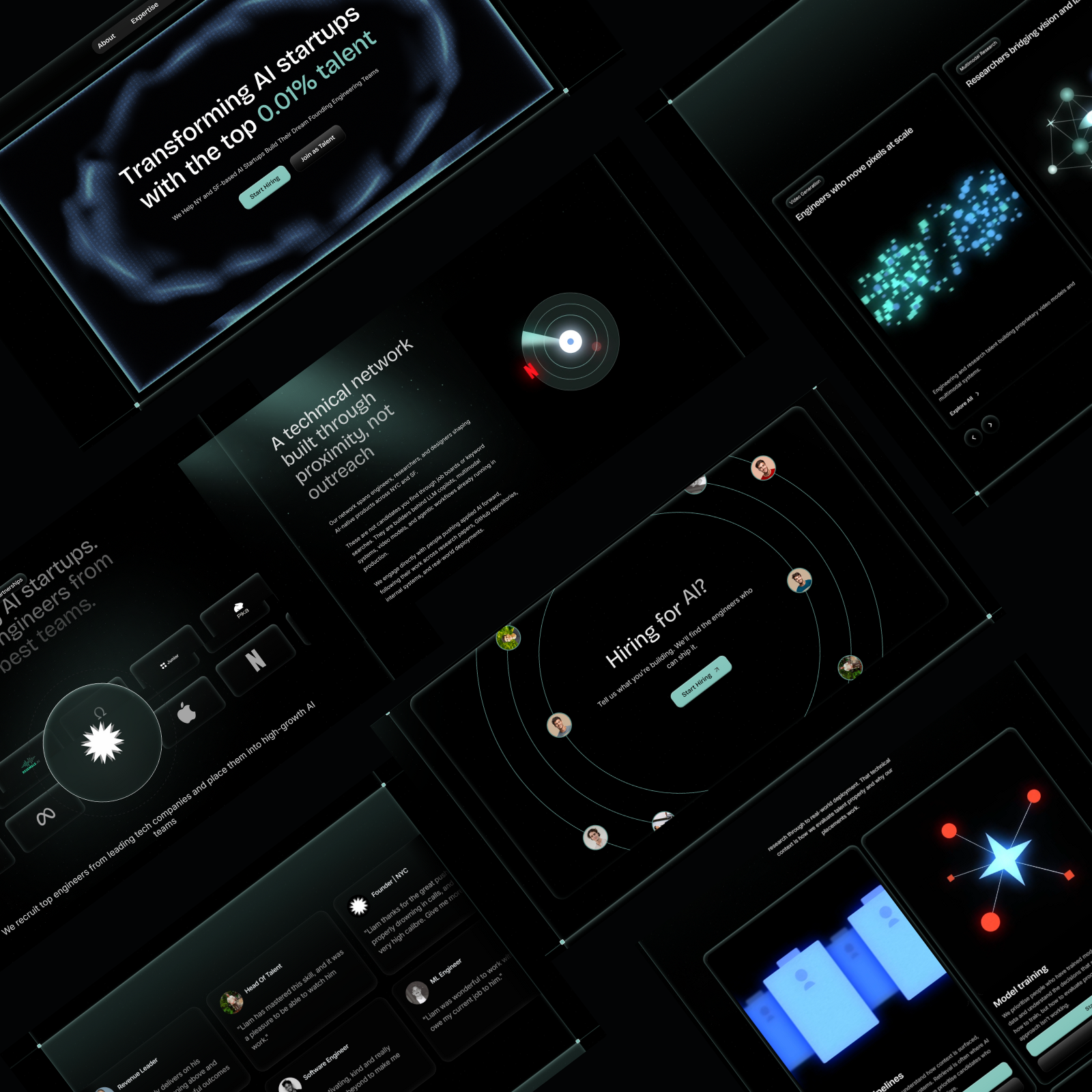
AI Talent Recruitment
A founder-friendly Webflow website for an AI recruiting startup
Hospitality & Entertainment
Building the Online Presence That Mallorca's Best Dinner Show Deserves
4 weeks
From first meeting to a live investor-facing website
Private Equity
A complete Webflow website for a values-aligned investment firm
Baraka Prosperity Partners
Read story
Read story
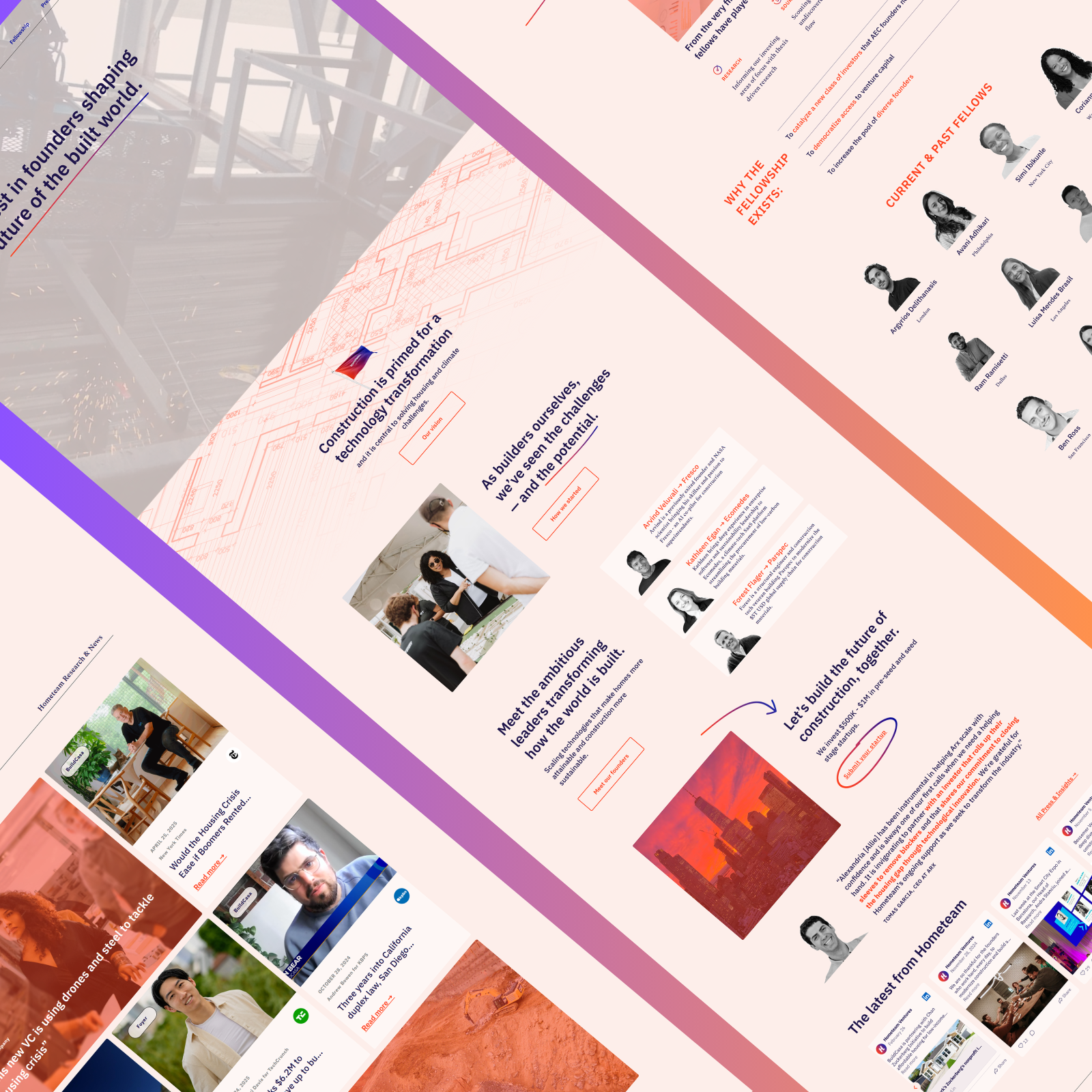
PropTech
Figma to Webflow Build for a Global PropTech VC Firm
Hometeam Ventures
Read story
Read story
Innovation / Investment
Technical SEO & Webflow Optimisation for a Policy and Investment Firm
Applio Ventures
Read story
Read story
AI Healthcare
Protecting search visibility through a Webflow migration for a HIPAA-compliant AI platform
AI Platform (Name Withheld)
Read story
Read story
Marketing for ERP consultancies
A Webflow website built for expert ERP buyers
Ascension Marketing
Read story
Read story
Custom Furniture & Home Renovation
A Website as Custom as the Loft Beds They Build
Fitness & Personal Coaching
From Zero Online Presence to the Go-To Calisthenics Coach in the UK
The Calisthenics Coach
Read story
Read story
Home Improvement & Trades
Building the Brand and Online Presence That a 30-Year Door Fitting Business Deserved
My Door Fitters
Read story
Read story

Frequently Asked Questions

How do you explain an AI-assisted legal product?
arrow down
We begin with a product demonstration and a specific legal task. Together, we identify what the user supplies, what the software returns and what the user can review or change next. That sequence becomes the basis for the copy and visual explanation. Sources, citations or limitations are included where the product provides them and your team confirms the wording, giving the page a concrete account of the current workflow.
Can the website serve lawyers and procurement teams?
arrow down
Yes. The main product explanation can show the work a lawyer performs, while connected pages address deployment, integrations, security and purchasing questions. We determine which information belongs in public pages and which follows your existing document-request process. Audience routes are added when requirements differ, keeping law firm, in-house and legal operations content tied to the capabilities each group is evaluating.
Can you create a product demonstration for the website?
arrow down
We can design a sequence from approved screens or supplied recordings, selecting the views that explain the task most clearly. A focused crop or stacked mobile layout can preserve details that disappear in a full dashboard image. If the interaction needs animation, we scope that work separately and agree the storyboard with your team. The marketing-site proposal identifies the visual assets and any embeds or existing product destinations involved.
How is a LegalTech website project scoped and quoted?
arrow down
The quote accounts for module and use-case pages, copy development, screen treatment, resources and demo routes, along with any agreed migration work. Motion, new backend connections and other additional requirements are assessed separately. Before work starts, we agree a fixed quote, and any subsequent scope changes are priced and agreed in writing before additional work begins.
What determines the schedule for a legal software site?
arrow down
The schedule follows the page scope, available product material and review process. We agree milestones for copy, demonstrations, Figma designs, build and testing, with product and technical owners involved at the points where their decisions are needed. Public research entry points or existing application links are assessed before launch planning. Handover includes guidance for keeping pages and demonstrations current as the software changes.
How is this different from your law firm website service?
arrow down
The LegalTech service focuses on a software purchase: the legal task, product workflow, deployment questions and route into an evaluation. Our law firm website service helps prospective clients assess legal practices, attorney experience and consultation options. If your business offers both, we establish which offer each page explains and what evidence supports it. That gives a software buyer and someone seeking legal advice appropriate next steps within the agreed site structure.
Smiling man with dark curly hair and beard wearing a white dress shirt against a geometric background.
Ready to discuss your website?
Tell us what you need to build or replace.
Discuss your website